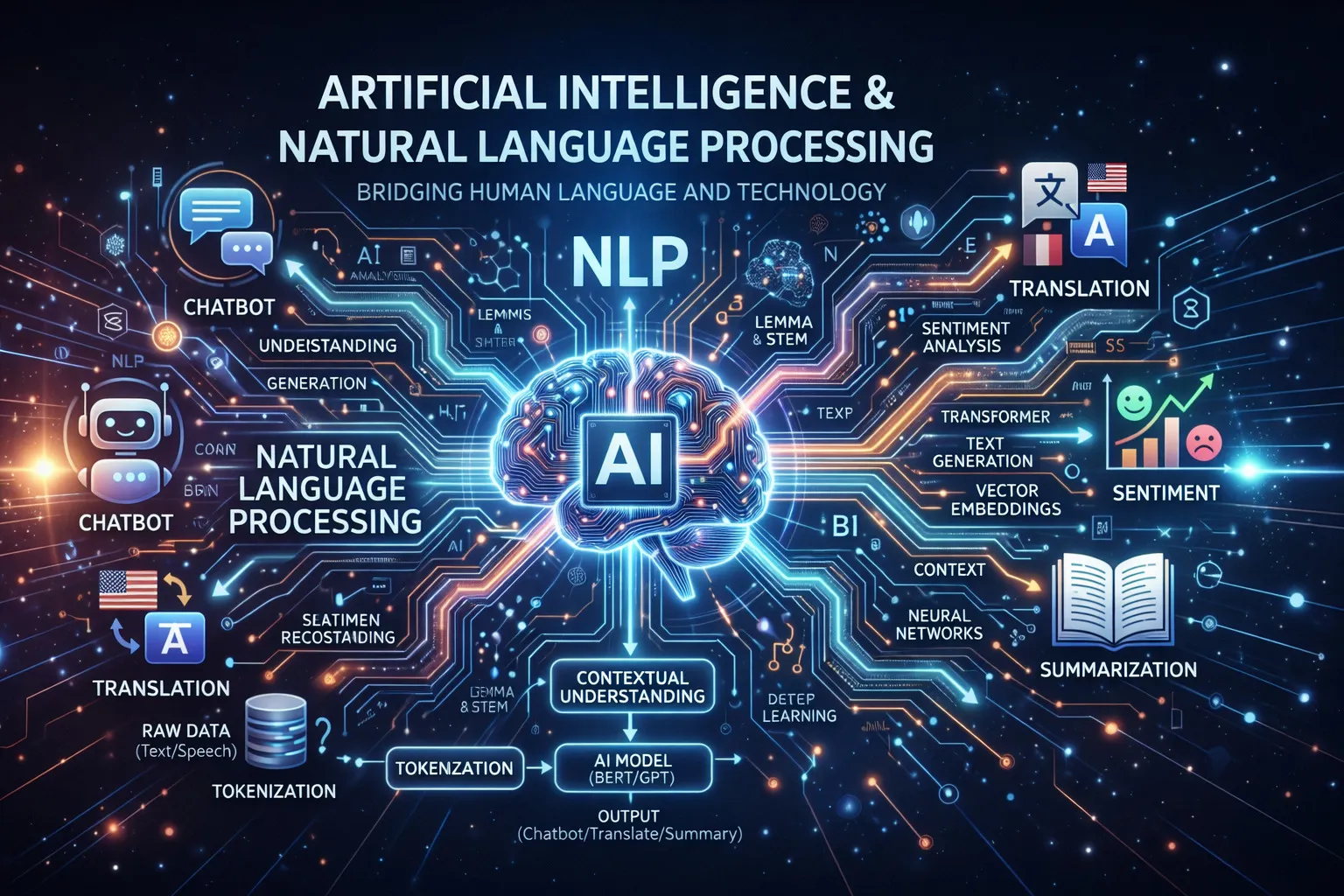
AI for Natural Language Processing: Build Smarter Text Applications
Natural Language Processing (NLP) is one of the most exciting areas in AI. It enables computers to understand, interpret, and generate human language — powering everything from chatbots and search engines to content summarization and sentiment analysis.
In this article, we’ll explore how to use AI and NLP to build smarter text applications using Python.
Table of Contents
- What is NLP?
- Key NLP Tasks
- Getting Started with NLP in Python
- Sentiment Analysis
- Text Classification
- Named Entity Recognition
- Building a Simple Chatbot
- Using Pre-trained Language Models
- Best Practices
- Conclusion
- Resources
What is NLP?
Natural Language Processing (NLP) is a branch of AI that deals with the interaction between computers and human language. It combines linguistics, computer science, and machine learning to process and analyze large amounts of natural language data.
Why NLP Matters
- Automation: Automate customer support with intelligent chatbots
- Insights: Extract valuable insights from unstructured text data
- Accessibility: Translate content and make it accessible to more people
- Efficiency: Summarize large documents in seconds
- Personalization: Understand user intent for better recommendations
Key NLP Tasks
NLP covers a wide range of tasks:
| Task | Description | Example |
|---|---|---|
| Sentiment Analysis | Determine emotional tone | Product review classification |
| Text Classification | Categorize text | Spam detection |
| Named Entity Recognition | Identify entities | Extract names, dates, locations |
| Machine Translation | Translate between languages | English to Indonesian |
| Text Summarization | Condense long documents | News article summaries |
| Question Answering | Answer questions from context | Chatbots, search engines |
Getting Started with NLP in Python
Python has a rich ecosystem for NLP. The most popular libraries are:
pip install nltk spacy transformers torch scikit-learn
python -m spacy download en_core_web_sm
Basic Text Processing with NLTK
import nltk
from nltk.tokenize import word_tokenize, sent_tokenize
from nltk.corpus import stopwords
from nltk.stem import PorterStemmer

nltk.download('punkt')
nltk.download('stopwords')

text = "Natural Language Processing is transforming how computers understand human language. It enables smarter applications."

# Tokenization
words = word_tokenize(text)
sentences = sent_tokenize(text)

print("Words:", words[:10])
print("Sentences:", sentences)

# Remove stopwords
stop_words = set(stopwords.words('english'))
filtered_words = [w for w in words if w.lower() not in stop_words]
print("Filtered:", filtered_words)

# Stemming
stemmer = PorterStemmer()
stemmed = [stemmer.stem(w) for w in filtered_words]
print("Stemmed:", stemmed)
Text Processing with spaCy
import spacy

nlp = spacy.load("en_core_web_sm")

doc = nlp("Apple is looking at buying U.K. startup for $1 billion")

# Part of speech tagging
for token in doc:
    print(f"{token.text:15} {token.pos_:10} {token.dep_}")
Sentiment Analysis
Sentiment analysis determines the emotional tone of text — positive, negative, or neutral.
Using VADER for Simple Sentiment Analysis
from nltk.sentiment.vader import SentimentIntensityAnalyzer
import nltk

nltk.download('vader_lexicon')

sia = SentimentIntensityAnalyzer()

reviews = [
    "This product is absolutely amazing! Best purchase ever.",
    "Terrible quality. Complete waste of money.",
    "It's okay, nothing special but gets the job done."
]

for review in reviews:
    scores = sia.polarity_scores(review)

    if scores['compound'] >= 0.05:
        sentiment = "Positive 😊"
    elif scores['compound'] <= -0.05:
        sentiment = "Negative 😞"
    else:
        sentiment = "Neutral 😐"

    print(f"Review: {review[:50]}...")
    print(f"Sentiment: {sentiment} (score: {scores['compound']:.2f})\n")
Training a Custom Sentiment Classifier
from sklearn.feature_extraction.text import TfidfVectorizer
from sklearn.linear_model import LogisticRegression
from sklearn.model_selection import train_test_split
from sklearn.metrics import classification_report
import pandas as pd

# Sample dataset
data = {
    'text': [
        "Great product, highly recommend!",
        "Awful experience, never buying again.",
        "Pretty good, does what it says.",
        "Broken on arrival. Very disappointed.",
        "Exceeded my expectations!",
        "Not worth the price at all.",
        "Works perfectly for my needs.",
        "Poor customer service.",
    ],
    'label': [1, 0, 1, 0, 1, 0, 1, 0]  # 1=positive, 0=negative
}

df = pd.DataFrame(data)

# Split data
X_train, X_test, y_train, y_test = train_test_split(
    df['text'], df['label'], test_size=0.2, random_state=42
)

# Feature extraction
vectorizer = TfidfVectorizer(ngram_range=(1, 2), max_features=5000)
X_train_vec = vectorizer.fit_transform(X_train)
X_test_vec = vectorizer.transform(X_test)

# Train classifier
classifier = LogisticRegression()
classifier.fit(X_train_vec, y_train)

# Evaluate
predictions = classifier.predict(X_test_vec)
print(classification_report(y_test, predictions))

# Predict new text
new_text = ["This is fantastic, I love it!"]
new_vec = vectorizer.transform(new_text)
prediction = classifier.predict(new_vec)
print(f"Prediction: {'Positive' if prediction[0] == 1 else 'Negative'}")
Text Classification
Text classification assigns predefined categories to text. It’s used for spam detection, topic categorization, and more.
Multi-Class Text Classifier
from sklearn.pipeline import Pipeline
from sklearn.feature_extraction.text import TfidfVectorizer
from sklearn.multiclass import OneVsRestClassifier
from sklearn.svm import LinearSVC

# Training data with multiple categories
training_data = [
    ("Python is great for machine learning", "Technology"),
    ("Real Madrid won the Champions League", "Sports"),
    ("Stock market hits record high", "Finance"),
    ("New vaccine shows promising results", "Health"),
    ("Scientists discover new planet", "Science"),
    ("JavaScript frameworks are evolving fast", "Technology"),
    ("World Cup final was thrilling", "Sports"),
    ("Inflation rate rises to 8%", "Finance"),
]

texts, labels = zip(*training_data)

# Build pipeline
pipeline = Pipeline([
    ('tfidf', TfidfVectorizer(ngram_range=(1, 2))),
    ('classifier', LinearSVC())
])

# Train
pipeline.fit(texts, labels)

# Test
test_texts = [
    "Machine learning is transforming industries",
    "The football match ended in a draw",
    "GDP growth slows down this quarter"
]

predictions = pipeline.predict(test_texts)
for text, category in zip(test_texts, predictions):
    print(f"'{text}' -> {category}")
Named Entity Recognition
NER identifies and classifies named entities in text such as people, organizations, dates, and locations.
NER with spaCy
import spacy

nlp = spacy.load("en_core_web_sm")

text = """
Elon Musk founded SpaceX in 2002 in Hawthorne, California.
The company raised $100 million in its Series A funding round.
In December 2015, SpaceX successfully landed the first orbital rocket.
"""

doc = nlp(text)

print("Named Entities Found:")
print("-" * 40)

for ent in doc.ents:
    print(f"{ent.text:30} {ent.label_:15} {spacy.explain(ent.label_)}")
Custom NER Training
import spacy
from spacy.training import Example

# Load blank model
nlp = spacy.blank("en")

# Add NER component
ner = nlp.add_pipe("ner")

# Add custom entity labels
ner.add_label("PRODUCT")
ner.add_label("TECH_COMPANY")

# Training data
TRAIN_DATA = [
    ("Apple released iPhone 15 yesterday.", {
        "entities": [(7, 13, "TECH_COMPANY"), (23, 31, "PRODUCT")]
    }),
    ("Google announced Gemini AI model.", {
        "entities": [(0, 6, "TECH_COMPANY"), (17, 26, "PRODUCT")]
    }),
]

# Train the model
optimizer = nlp.begin_training()

for epoch in range(20):
    losses = {}
    for text, annotations in TRAIN_DATA:
        example = Example.from_dict(nlp.make_doc(text), annotations)
        nlp.update([example], sgd=optimizer, losses=losses)

    if epoch % 5 == 0:
        print(f"Epoch {epoch}, Loss: {losses['ner']:.4f}")

# Test
test_doc = nlp("Microsoft launched Copilot AI.")
for ent in test_doc.ents:
    print(f"{ent.text}: {ent.label_}")
Building a Simple Chatbot
Rule-Based Chatbot with NLP
import re
from nltk.tokenize import word_tokenize
from nltk.stem import WordNetLemmatizer

lemmatizer = WordNetLemmatizer()

# Intent patterns
intents = {
    'greeting': {
        'patterns': ['hello', 'hi', 'hey', 'good morning', 'good afternoon'],
        'responses': ['Hello! How can I help you?', 'Hi there! What can I do for you?']
    },
    'farewell': {
        'patterns': ['bye', 'goodbye', 'see you', 'take care'],
        'responses': ['Goodbye! Have a great day!', 'See you later!']
    },
    'help': {
        'patterns': ['help', 'support', 'assist', 'problem', 'issue'],
        'responses': ['I\'m here to help! What\'s your issue?', 'Sure, what do you need help with?']
    },
    'thanks': {
        'patterns': ['thank', 'thanks', 'appreciate', 'grateful'],
        'responses': ['You\'re welcome!', 'Happy to help!', 'Anytime!']
    }
}

def preprocess(text):
    tokens = word_tokenize(text.lower())
    return [lemmatizer.lemmatize(token) for token in tokens]

def get_response(user_input):
    processed_input = preprocess(user_input)

    for intent, data in intents.items():
        for pattern in data['patterns']:
            if pattern in processed_input:
                import random
                return random.choice(data['responses'])

    return "I'm not sure I understand. Could you rephrase that?"

# Chat loop
print("Chatbot: Hello! I'm a simple NLP chatbot. Type 'quit' to exit.")
while True:
    user_input = input("You: ")
    if user_input.lower() == 'quit':
        break
    response = get_response(user_input)
    print(f"Chatbot: {response}")
Using Pre-trained Language Models
The real power of modern NLP comes from pre-trained transformer models like BERT, GPT, and others.
Sentiment Analysis with Transformers
from transformers import pipeline

# Load pre-trained sentiment analysis model
sentiment_pipeline = pipeline("sentiment-analysis")

texts = [
    "The new AI features are incredibly impressive!",
    "This implementation has too many bugs.",
    "The performance is acceptable for most use cases."
]

results = sentiment_pipeline(texts)

for text, result in zip(texts, results):
    print(f"Text: {text}")
    print(f"Sentiment: {result['label']} (confidence: {result['score']:.2%})\n")
Text Summarization with Transformers
from transformers import pipeline

summarizer = pipeline("summarization", model="facebook/bart-large-cnn")

long_text = """
Artificial intelligence (AI) is intelligence demonstrated by machines, as opposed to natural
intelligence displayed by animals including humans. AI research has been defined as the field
of study of intelligent agents, which refers to any system that perceives its environment and
takes actions that maximize its chance of achieving its goals. The term "artificial intelligence"
had previously been used to describe machines that mimic and display "human" cognitive skills
associated with the human mind, such as "learning" and "problem-solving". This definition has
since been rejected by major AI researchers who now describe AI in terms of rationality and
acting rationally, which does not limit how intelligence can be articulated.
"""

summary = summarizer(
    long_text,
    max_length=100,
    min_length=30,
    do_sample=False
)

print("Summary:", summary[0]['summary_text'])
Question Answering
from transformers import pipeline

qa_pipeline = pipeline("question-answering")

context = """
Python was created by Guido van Rossum and first released in 1991. It is a high-level,
general-purpose programming language. Python's design philosophy emphasizes code readability
with the use of significant indentation. Python is dynamically typed and garbage-collected.
It supports multiple programming paradigms, including structured, object-oriented, and
functional programming.
"""

questions = [
    "Who created Python?",
    "When was Python first released?",
    "What is Python's design philosophy?"
]

for question in questions:
    result = qa_pipeline(question=question, context=context)
    print(f"Q: {question}")
    print(f"A: {result['answer']} (confidence: {result['score']:.2%})\n")
Best Practices
1. Data Quality
Quality data is essential for NLP:
import re
import unicodedata

def clean_text(text):
    """Clean and normalize text for NLP processing"""

    # Convert to lowercase
    text = text.lower()

    # Remove HTML tags
    text = re.sub(r'<[^>]+>', '', text)

    # Normalize unicode characters
    text = unicodedata.normalize('NFKD', text)

    # Remove URLs
    text = re.sub(r'http\S+|www\S+', '', text)

    # Remove special characters (keep letters, numbers, spaces)
    text = re.sub(r'[^a-z0-9\s]', '', text)

    # Remove extra whitespace
    text = re.sub(r'\s+', ' ', text).strip()

    return text

# Test
sample = "Check out https://example.com for <b>amazing</b> AI tools!!!"
cleaned = clean_text(sample)
print(f"Original: {sample}")
print(f"Cleaned: {cleaned}")
2. Model Selection
Choose the right model for your use case:
| Use Case | Recommended Approach |
|---|---|
| Simple classification | TF-IDF + Logistic Regression |
| Sentiment analysis | Fine-tuned BERT or VADER |
| Text generation | GPT-2 or T5 |
| Multilingual tasks | mBERT or XLM-RoBERTa |
| Low-resource scenarios | DistilBERT |
3. Handling Multiple Languages
from transformers import pipeline

# Multilingual model for text classification
classifier = pipeline(
    "text-classification",
    model="papluca/xlm-roberta-base-language-detection"
)

texts = [
    "Hello, how are you?",
    "Bonjour, comment allez-vous?",
    "Halo, apa kabar?"
]

for text in texts:
    result = classifier(text)[0]
    print(f"'{text}' -> Language: {result['label']} ({result['score']:.2%})")
4. Evaluation Metrics
Always evaluate your NLP models properly:
from sklearn.metrics import (
    accuracy_score,
    precision_recall_fscore_support,
    confusion_matrix
)
import seaborn as sns
import matplotlib.pyplot as plt

def evaluate_classifier(y_true, y_pred, labels):
    """Comprehensive evaluation of NLP classifier"""

    # Basic metrics
    accuracy = accuracy_score(y_true, y_pred)
    precision, recall, f1, _ = precision_recall_fscore_support(
        y_true, y_pred, average='weighted'
    )

    print(f"Accuracy:  {accuracy:.4f}")
    print(f"Precision: {precision:.4f}")
    print(f"Recall:    {recall:.4f}")
    print(f"F1 Score:  {f1:.4f}")

    # Confusion matrix
    cm = confusion_matrix(y_true, y_pred)

    plt.figure(figsize=(8, 6))
    sns.heatmap(cm, annot=True, fmt='d', xticklabels=labels, yticklabels=labels)
    plt.title('Confusion Matrix')
    plt.ylabel('True Label')
    plt.xlabel('Predicted Label')
    plt.tight_layout()
    plt.savefig('confusion_matrix.png')
Conclusion
Natural Language Processing opens up a world of possibilities for building smarter applications:
- ✅ Sentiment Analysis for understanding customer feedback
- ✅ Text Classification for organizing and filtering content
- ✅ Named Entity Recognition for extracting structured information
- ✅ Chatbots for automating customer interactions
- ✅ Pre-trained Models for state-of-the-art results with minimal effort
Start with simple rule-based approaches and gradually incorporate more sophisticated ML models as your needs grow.
Resources
- NLTK Documentation
- spaCy Documentation
- Hugging Face Transformers
- Stanford NLP Group
- Papers With Code — NLP
Related Articles
- AI-Powered Testing and QA: Test Automation with Artificial Intelligence
- AI in DevOps: Intelligent CI/CD and Infrastructure Management
- AI Chatbots: Building Conversational AI Applications
- Generative AI for Content Creation: Tools and Techniques
Have you built NLP applications? Share your experience in the comments! 🤖