Observability 101: Logs, Metrics, and Traces for Modern Teams
Table of Contents
- The Difference Between Monitoring and Observability
- The Three Pillars of Observability (LMT)
- Logs: Telling the Detailed Story
- Metrics: Measuring Overall System Health
- Traces: Tracking Requests Across Services
- Practical Ways to Start Observability in Your Team
- Common Anti-Patterns
- Conclusion
The Difference Between Monitoring and Observability
Often, monitoring and observability are used interchangeably, but they have different meanings. Monitoring is collecting data to see the condition of a system—like looking at a CPU load dashboard or a 500 error notification. Monitoring can answer the question “Is the system failing?”, but not necessarily “Why is this failure happening?”.
This is where Observability comes in. Observability is our ability to understand what is happening inside a system just by looking at the external output data it produces. If monitoring is a detection tool, observability is an investigation and troubleshooting tool.
A system with good observability will allow engineers to navigate from high-level notifications all the way down to the problematic line of code or database query, without having to guess or manually reproduce the error.
The Three Pillars of Observability (LMT)
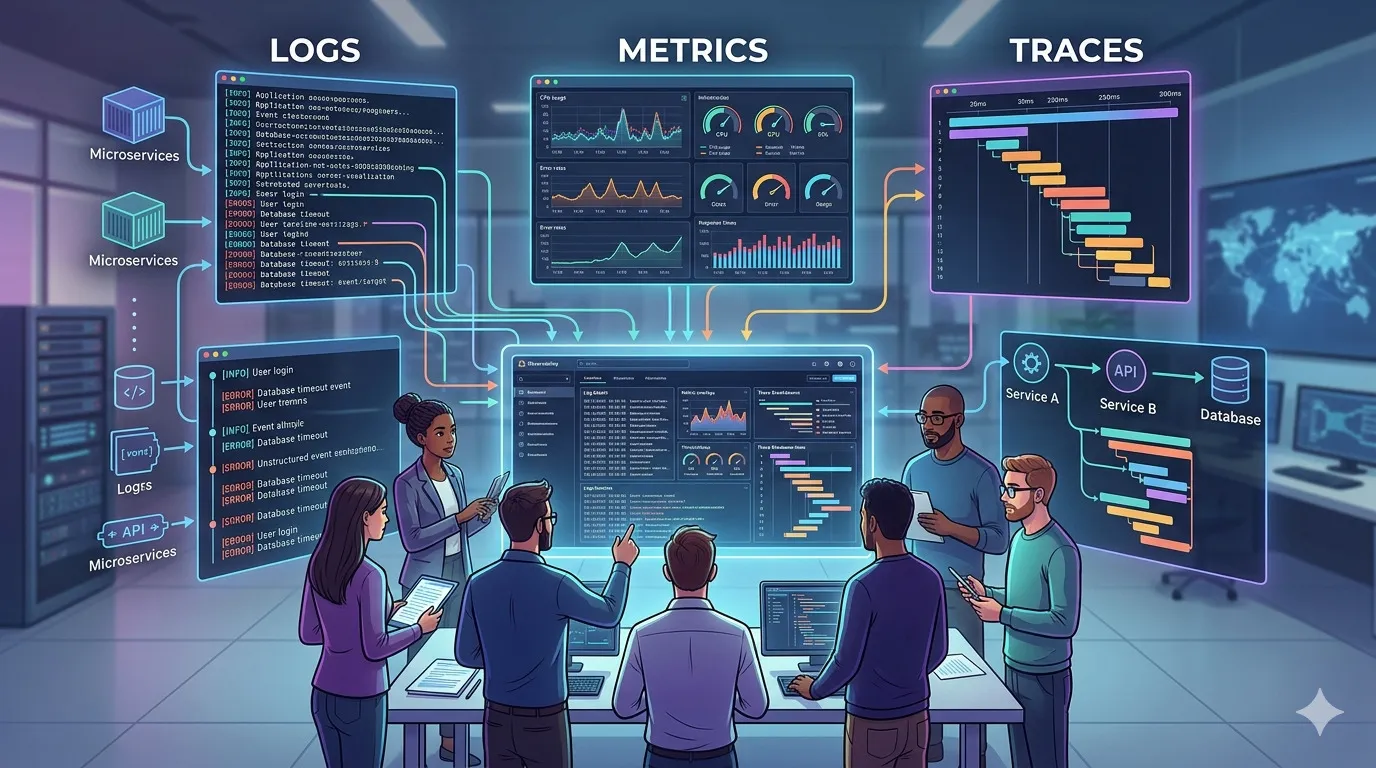
In modern ecosystems (especially microservices and cloud-native), observability is usually built on three main pillars:
- Logs
- Metrics
- Traces
These three work together. Metrics are usually the first alert trigger, Traces help point to which area or service has the problem, and Logs provide the details of why the failure specifically happened at that point.
Logs: Telling the Detailed Story
A Log is a specific record about something that happened at a certain time. For example: [2026-02-12 10:15:00] ERROR: Payment failed for user 12345: Insufficient balance.
In older architectures, logs were written to text files and read with tail or grep. But in distributed systems, that approach is no longer effective. Today, we use Structured Logging (usually in JSON format).
Why is Structured Logging Important?
If logs are plain text, search engines like Elasticsearch or Datadog have a hard time filtering them. If logs are JSON like {"level": "error", "event": "payment_failed", "user_id": 12345, "reason": "timeout"}, we can instantly query “Show all error logs for the payment_failed event in the billing service”.
Tips for Logs:
- Never log sensitive information (passwords, full credit card numbers).
- Use log levels (INFO, WARN, ERROR, DEBUG) correctly. Do not use ERROR for expected failures (like incorrect user validation input).
Metrics: Measuring Overall System Health
Metrics are numbers calculated over a period of time (time-series data). This number indicates how healthy the system is running overall.
Metrics are much cheaper to store compared to Logs because they only store a series of numbers. Common examples of metrics are CPU percentage, available memory, and what is often a primary reference, the RED method (Rate, Errors, Duration).
- Rate: How many requests are coming in per second?
- Errors: What percentage of requests fail?
- Duration: How much time is spent responding (usually looked at from the 95th or p99 percentile)?
Metrics are very ideal for attaching Alerts. For example, “Notify in Slack if the payment error rate is above 5% for the last 5 minutes”.
Traces: Tracking Requests Across Services
If your system only consists of one application (monolith), logs and metrics might be enough. But when entering the microservices world, one user click on the frontend can pass through an API Gateway, Service A, Service B, two types of Databases, and a Redis cache.
If this process is slow or fails halfway, the log from Service B won’t have the overall context. That is the function of Distributed Tracing.
A Trace records one complete journey. A trace consists of elements called Spans, where each Span represents one unit of work (e.g., a DB query, calling an external API). The same TraceID will flow (propagated) via HTTP Headers to all visited services.
With a Trace, you can open a UI (like Jaeger, Zipkin, or Datadog APM) and visually see the timeline graph:
Request received (1.2 seconds) → Auth Service (50ms) → Payment Service DB Query (1.1 seconds) → Found the problem, this query is slow.
Practical Ways to Start Observability in Your Team
For mid-sized teams or startups, there’s no need to build complex infrastructure right away. Start gradually:
- Standardize Logs First. Ensure all applications output logs in JSON format and include core information like timestamp, severity, and message.
- Setup Basic Metrics. Don’t measure everything. Focus on traffic metrics (RED) for each important endpoint. Create a dashboard that displays these graphs.
- Collect Errors. Store errors in a centralized platform like Sentry, Datadog, or the Elastic Stack.
- Implement TraceID. If you aren’t ready to set up Jaeger/Zipkin, at least create a unique ID (e.g.,
X-Request-ID) that is passed in the HTTP header and logged in every JSON log line. This is already enough to help find the common thread between service logs.
Common Anti-Patterns
Building good observability also means avoiding some common traps:
- Logging Overload. Logging the entire HTTP request payload every time. This will inflate cloud bills and decrease app performance, even though 99% of those logs are never read.
- Alert Fatigue. Sending Slack notifications for every minor error or CPU spike above 80%. If the pager keeps ringing for non-serious incidents, engineers will start ignoring it (mute alerts).
- Tool Silos. Different teams using different tools. Frontend uses Sentry, Backend uses ELK, Infra uses CloudWatch. When an incident occurs, it’s hard to piece together the context. A good observability platform should unify the data.
Conclusion
Modern observability is not just about adding “monitoring tools”. It’s about building a culture where the systems we deploy are “talkative” enough (in a structured language) about their own state.
With integrated Logs, Metrics, and Traces, the once-frustrating phase of error investigation can turn into a data-driven, measurable, and panic-free process. Start tidying up log formats, create neat basic metrics, and connect them with traces.
References
- Site Reliability Engineering (Google Books)
- The RED Method: How to instrument your services
- Distributed Tracing in Practice by Austin Parker et al.
Related Articles
- Manage Technical Debt Without Halting Delivery
- Create Documentation That Developers Actually Read
- The Pre-Deployment Security Checklist Your Team Must Have
How does your team respond to production errors right now? Are you already using cross-service traces, or still manually grepping server logs? Share your experiences or go-to observability tools in the comments!