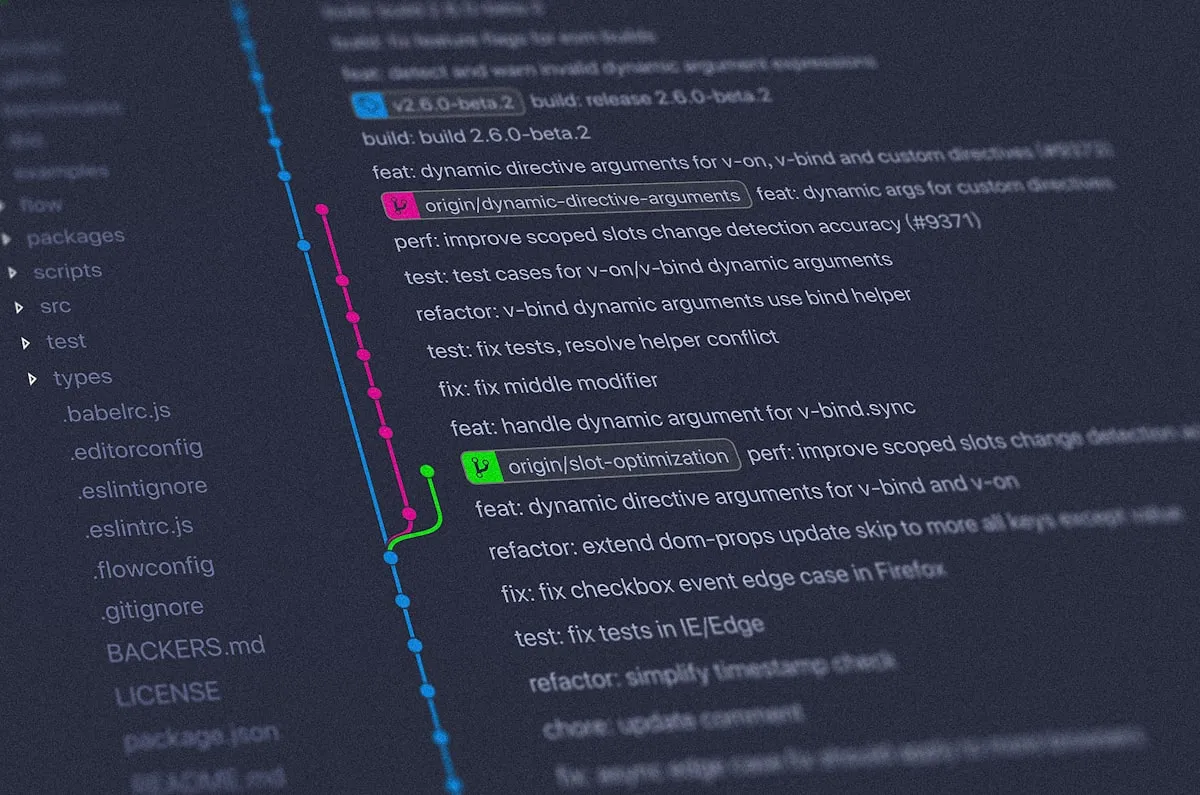
Git Workflow Best Practices — Kolaborasi Tim & Version Control
Pengenalan
Git adalah alat penting bagi setiap developer. Panduan ini mencakup Git workflows, strategi branching, best practices commit, dan kolaborasi tim yang efektif.
Daftar Isi
- Mengapa Git Workflows Penting
- Strategi Branching
- Best Practices Commit
- Pull Request Workflow
- Merge vs Rebase
- Advanced Git Commands
- Pola-Pola Kolaborasi Tim
- Kesimpulan
Mengapa Git Workflows Penting
Workflow Git yang tepat menyediakan:
- History yang Jelas: Mudah memahami apa yang berubah dan mengapa
- Kolaborasi Lebih Mudah: Kurangi merge conflicts
- Debugging Lebih Baik: Gunakan
git bisectuntuk menemukan bugs - Akuntabilitas: History commit menunjukkan siapa yang mengubah apa
Strategi Branching
Strategi branching menyediakan pendekatan terstruktur untuk mengelola berbagai upaya pengembangan yang berjalan paralel. Strategi yang berbeda cocok untuk ukuran tim dan frekuensi deployment yang berbeda.
Git Flow
Model branching untuk proyek besar dengan rilis terjadwal:
main-> productiondevelop-> developmentfeature/*-> fitur baruhotfix/*-> perbaikan darurat
GitHub Flow
Pendekatan sederhana untuk continuous deployment dengan minimal overhead.
main-> selalu production-readyfeature-*-> fitur baru
Best Practices Commit
Pesan commit yang terstruktur dengan baik memiliki beberapa tujuan: membantu developer lain memahami apa yang berubah dan mengapa, memungkinkan penggunaan alat otomatisasi, dan menciptakan riwayat proyek yang dapat dicari.
Conventional Commits
# Format: <type>(<scope>): <subject>
git commit -m "feat(auth): add two-factor authentication"
git commit -m "fix(api): handle null response from server"
git commit -m "docs: update installation instructions"
git commit -m "refactor(utils): simplify date formatting"
Types:
feat: fitur barufix: perbaikan bugdocs: dokumentasistyle: style changesrefactor: refactoring codeperf: improvement performatest: menambah testschore: perubahan build/tooling
Pull Request Workflow
Proses pull request yang terstruktur memastikan kualitas kode, menjaga standar tim, dan memfasilitasi berbagi pengetahuan.
- Buat branch dari main
- Buat perubahan dan commit dengan pesan yang jelas
- Push branch ke remote
- Buat Pull Request dengan deskripsi yang detail
- Request code review
- Merge ke main setelah approval
Merge vs Rebase
Memahami perbedaan antara merge dan rebase membantu Kamu memilih tool yang tepat untuk maintain riwayat git yang rapi, mudah dipahami sambil mempertahankan manfaat dari berbagai workflow.
Merge Commits
Mempertahankan riwayat lengkap:
git merge feature/user-authRebase
Dengan rebase, Kamu mendapatkan alur linear dengan menulis ulang riwayat. Gunakan ini pada branch lokal untuk menjaga riwayat yang bersih sebelum menggabungkan ke branch bersama:
git rebase origin/main
git push --force-with-lease origin feature/branch
Advanced Git Commands
Teknik advanced ini memungkinkan workflows yang powerful untuk skenario kompleks seperti rebase interaktif, memilih commit tertentu dengan cherry-picking, dan mendebug regresi.
# Rebase interactive untuk clean history
git rebase -i HEAD~3

# Cherry-pick specific commit
git cherry-pick abc123

# Stash untuk save work in progress
git stash save "WIP: feature implementation"
git stash apply stash@{0}

# Find bug dengan binary search
git bisect start
git bisect bad
git bisect good v1.0.0
Pola-Pola Kolaborasi Tim
Code Review Guidelines
Panduan-panduan ini memastikan PRs terdokumentasi dengan baik, diuji dengan benar, dan mudah untuk direview, yang mengarah ke kualitas kode yang lebih tinggi dan penggabungan yang lebih cepat.
Untuk reviewers:
- Periksa logika dan implementasi
- Verifikasi kecukupan pengujian
- Cari potensi bug
- Berikan umpan balik yang konstruktif
Untuk authors:
- Jaga PR tetap fokus
- Tanggapi umpan balik dengan cepat
- Buat perubahan yang diminta di commits baru
- Tandai percakapan sebagai selesai
Best Practices
- Gunakan nama branch yang bermakna dan deskriptif
- Tulis deskripsi PR yang jelas
- Review kode secara menyeluruh sebelum approval
- Jaga commit tetap atomic dan fokus
Kesimpulan
Workflow Git yang tepat memastikan kolaborasi yang efektif, riwayat yang rapih, dan komunikasi tim yang lebih baik. Dengan mengikuti best practices dalam panduan ini, Kamu dapat membangun aplikasi dengan version control yang solid dan profesional.