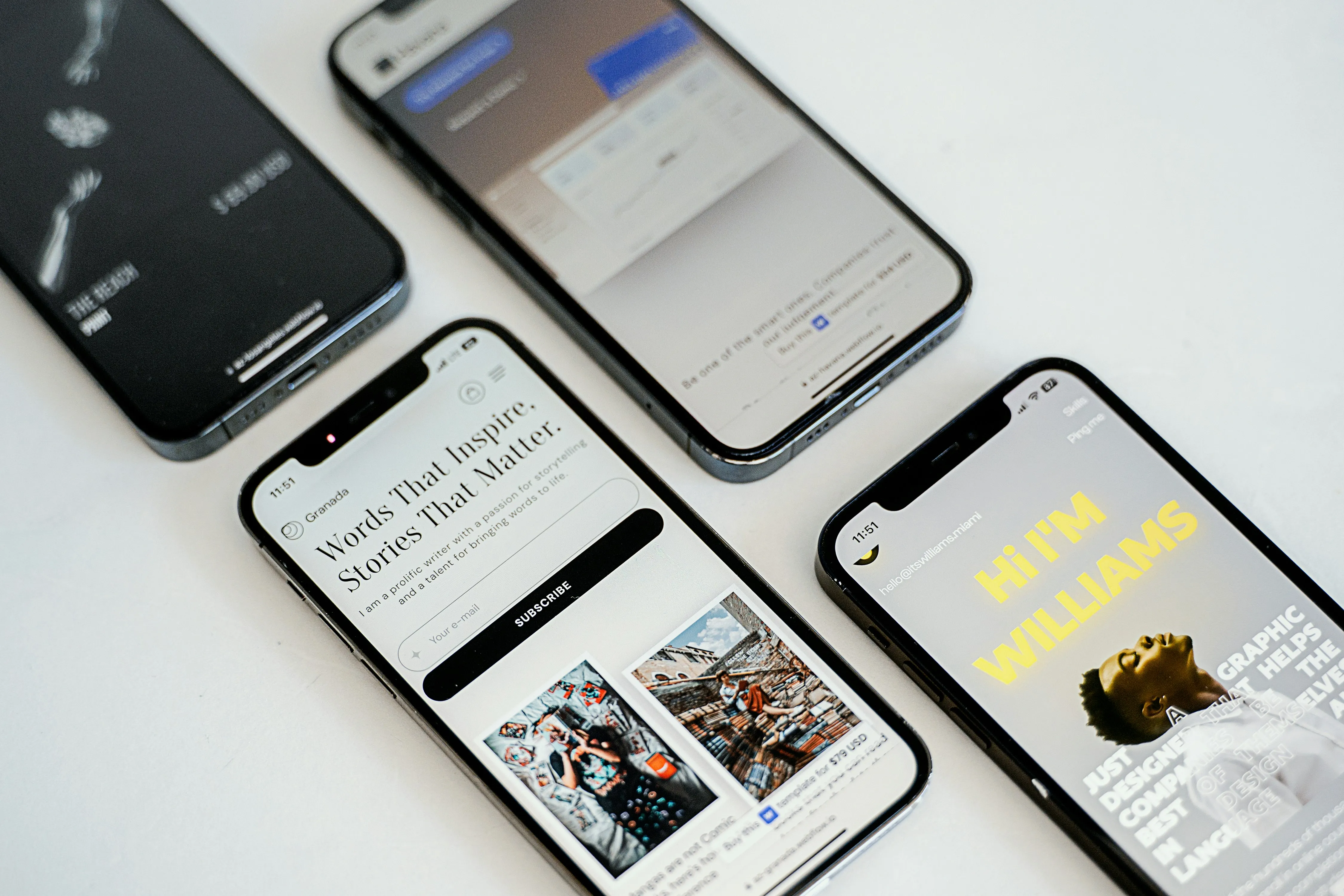
PWA - Progressive Web Apps — Bangun Pengalaman Seperti Aplikasi di Web
Pengenalan: Masa Depan Web Applications
Progressive Web Apps (PWAs) menjembatani kesenjangan antara aplikasi web dan aplikasi native, memberikan yang terbaik dari kedua dunia. PWAs memungkinkan Kamu membangun aplikasi web yang bekerja offline, dapat diinstal langsung di layar beranda perangkat, mengirim notifikasi push kepada pengguna, dan berjalan dengan performa yang menyamai aplikasi native. Panduan lengkap ini mencakup semua yang Kamu perlukan untuk membangun PWA modern yang memberikan pengalaman pengguna luar biasa.
Daftar Isi
- Pengenalan
- Apa itu PWA?
- PWA Core Requirements
- Service Workers
- Web Manifest
- Offline Functionality
- Push Notifications
- Installation and Distribution
- Performance Optimization
- Popular PWA Examples
- Debugging PWAs
- Best Practices
Apa itu PWA?
Progressive Web App adalah aplikasi web yang menggabungkan fitur-fitur terbaik dari web dan aplikasi native untuk memberikan pengalaman pengguna yang superior. PWA dirancang untuk bekerja di semua perangkat dan browser, memberikan pengalaman yang responsif dan intuitif. Pada dasarnya, PWA memiliki karakteristik berikut:
- Progressive: Bekerja untuk semua pengguna, di semua perangkat, dan browser apapun
- Responsive: Tampilan sempurna di desktop, tablet, dan perangkat mobile
- Connectivity Independent: Bekerja offline atau dengan koneksi internet yang lambat menggunakan service workers
- App-like: Terasa seperti aplikasi native dengan navigasi dan interaksi yang smooth
- Fresh: Selalu menggunakan versi terbaru berkat mekanisme update service workers
- Safe: Disajikan melalui HTTPS untuk menjamin keamanan data komunikasi
- Discoverable: Dapat diidentifikasi sebagai “aplikasi” oleh search engines
- Installable: Pengguna dapat memasang aplikasi langsung ke layar beranda tanpa harus melalui app store
- Shareable: Mudah dibagikan kepada pengguna lain melalui URL yang sederhana
Mengapa PWAs Penting
PWA memecahkan beberapa tantangan utama yang dihadapi aplikasi web modern. Dengan menggunakan teknologi terkini seperti service workers dan web APIs, PWA memberikan solusi yang menguntungkan baik untuk pengguna maupun pengembang:
- Dukungan Offline Sempurna: Pengguna dapat terus menggunakan aplikasi bahkan tanpa koneksi internet, meningkatkan keandalan aplikasi
- Penghematan Penggunaan Data: Aset yang di-cache berarti pengguna membutuhkan bandwidth jauh lebih sedikit untuk menggunakan aplikasi
- Pemuatan Lebih Cepat: Konten yang sudah di-cache dapat dimuat secara instan dari storage lokal tanpa perlu menunggu jaringan
- Pengalaman Seperti Aplikasi Native: Aplikasi dapat berjalan fullscreen dengan navigasi dan interaksi yang smooth seperti aplikasi native
- Notifikasi Push: Kamu dapat mengirim notifikasi kepada pengguna untuk meningkatkan engagement dan membawa mereka kembali ke aplikasi
- Tanpa Dependensi App Store: Distribusi aplikasi menjadi lebih mudah dan cepat karena langsung melalui web
PWA Core Requirements
Untuk membangun PWA yang lengkap dan fungsional, ada tiga persyaratan inti yang harus dipenuhi. Ketiga komponen ini bekerja bersama untuk memberikan fondasi yang kuat bagi aplikasi web modern Kamu.
1. Keamanan HTTPS
HTTPS adalah fondasi keamanan untuk semua PWA. Protocol ini mengenkripsi semua data yang dikirimkan antara browser pengguna dan server Kamu, mencegah pihak ketiga dari mengintersepsi atau memodifikasi komunikasi. Tanpa HTTPS, browser modern tidak akan mengizinkan pemasangan service workers dan akses ke fitur-fitur PWA lainnya.
Persyaratan HTTPS:
✓ Semua PWA harus disajikan melalui HTTPS
✓ Pengecualian: localhost untuk pengembangan lokal
✓ Sertifikat: Bisa menggunakan Let's Encrypt (gratis dan otomatis)
✓ Validasi: Periksa console browser untuk peringatan keamanan
2. Pendaftaran Service Worker
Service worker adalah script JavaScript yang berjalan di background, terpisah dari thread utama browser. Service worker bertindak sebagai proxy antara aplikasi Kamu, browser, dan jaringan. Ini memungkinkan Kamu untuk mengimplementasikan fitur seperti caching, sinkronisasi background, dan notifikasi push.
// Pendaftaran service worker
if ('serviceWorker' in navigator) {
  navigator.serviceWorker
    .register('/sw.js')
    .then(registration => {
      console.log('Service Worker terdaftar:', registration);
    })
    .catch(error => {
      console.error('Pendaftaran Service Worker gagal:', error);
    });
}
3. Web App Manifest
File manifest adalah file JSON yang berisi metadata tentang aplikasi Kamu. File ini memberitahu browser bagaimana menampilkan aplikasi Kamu saat diinstal ke layar beranda, warna tema, icon yang digunakan, dan bagaimana aplikasi harus diluncurkan.
{
  "name": "My Progressive Web App",
  "short_name": "MyApp",
  "description": "Aplikasi PWA yang luar biasa dengan fitur offline",
  "start_url": "/",
  "scope": "/",
  "display": "standalone",
  "orientation": "portrait",
  "background_color": "#ffffff",
  "theme_color": "#000000",
  "icons": [
    {
      "src": "/images/icon-192x192.png",
      "sizes": "192x192",
      "type": "image/png",
      "purpose": "any"
    },
    {
      "src": "/images/icon-512x512.png",
      "sizes": "512x512",
      "type": "image/png",
      "purpose": "any"
    },
    {
      "src": "/images/icon-maskable.png",
      "sizes": "192x192",
      "type": "image/png",
      "purpose": "maskable"
    }
  ]
}
Menambahkan Manifest ke HTML
Kamu harus menautkan file manifest di bagian <head> dari file HTML utama Kamu. Tambahkan juga meta tags untuk konfigurasi tambahan seperti warna tema dan dukungan iOS.
<link rel="manifest" href="/manifest.json">
<meta name="theme-color" content="#000000">
<meta name="apple-mobile-web-app-capable" content="yes">
<meta name="apple-mobile-web-app-status-bar-style" content="black">
<link rel="apple-touch-icon" href="/images/apple-touch-icon.png">
Service Workers
Service workers adalah tulang punggung dari semua fungsionalitas PWA. Mereka adalah script JavaScript yang berjalan di background, terpisah dari halaman web utama, dan dapat menangani berbagai tugas seperti caching, notifikasi push, dan sinkronisasi background. Service workers memberikan Kamu kontrol penuh terhadap bagaimana aplikasi berinteraksi dengan jaringan dan penyimpanan lokal.
Service Worker Lifecycle
Service workers melalui tiga tahap dalam siklus hidupnya:
Installation Phase → Activation Phase → Functional Phase → Termination
(persiapan cache) → (pembersihan cache) → (menangani requests) → (jika tidak aktif)
Setiap tahap memiliki tujuan spesifik dalam mengelola aplikasi dan memastikan bahwa service worker yang lama digantikan dengan yang baru tanpa mengganggu pengguna.
Mengimplementasikan Service Worker dengan Caching Strategy
Service worker dapat menggunakan berbagai strategi untuk mengelola cache. Berikut adalah contoh lengkap service worker yang menerapkan Cache First strategy dengan fallback ke jaringan:
// sw.js - Service Worker
const CACHE_NAME = 'app-cache-v1';
const urlsToCache = [
  '/',
  '/index.html',
  '/css/styles.css',
  '/js/app.js',
  '/images/logo.png'
];

// Event install - siapkan cache dengan aset yang diperlukan
self.addEventListener('install', event => {
  event.waitUntil(
    caches.open(CACHE_NAME).then(cache => {
      console.log('Cache dibuka dan aset dimuat');
      return cache.addAll(urlsToCache);
    })
  );
});

// Event activate - bersihkan cache lama dari versi sebelumnya
self.addEventListener('activate', event => {
  event.waitUntil(
    caches.keys().then(cacheNames => {
      return Promise.all(
        cacheNames.map(cacheName => {
          if (cacheName !== CACHE_NAME) {
            console.log('Menghapus cache lama:', cacheName);
            return caches.delete(cacheName);
          }
        })
      );
    })
  );
});

// Event fetch - sajikan dari cache, jika tidak ada coba jaringan
self.addEventListener('fetch', event => {
  event.respondWith(
    caches.match(event.request).then(response => {
      // Jika ditemukan di cache, kembalikan langsung
      if (response) {
        return response;
      }

      return fetch(event.request).then(response => {
        // Validasi response
        if (!response || response.status !== 200 || response.type !== 'basic') {
          return response;
        }

        // Clone response untuk menyimpan ke cache
        const responseToCache = response.clone();

        caches.open(CACHE_NAME).then(cache => {
          cache.put(event.request, responseToCache);
        });

        return response;
      });
    }).catch(() => {
      // Jika jaringan gagal, tampilkan halaman offline
      return caches.match('/offline.html');
    })
  );
});
Strategi Caching yang Berbeda
Cache First (Cache, Fall Back to Network)
- Terbaik untuk: Aset statis yang tidak sering berubah seperti gambar, CSS, dan JavaScript
- Kecepatan: Sangat cepat karena aset diambil langsung dari cache lokal
- Use case: Gambar logo, stylesheet, library eksternal
- Keuntungan: Pengalaman offline yang sempurna, loading super cepat
Network First (Network, Fall Back to Cache)
- Terbaik untuk: Konten yang sering diperbarui dan membutuhkan data terbaru
- Kecepatan: Tergantung kecepatan jaringan, tetapi fallback ke cache jika offline
- Use case: API responses, konten dinamis, artikel blog
- Keuntungan: Selalu mendapatkan data terbaru saat online
Stale While Revalidate
- Terbaik untuk: Konten yang bisa sedikit ketinggalan tanpa masalah
- Kecepatan: Sangat cepat karena langsung mengembalikan cache, tapi update di background
- Use case: Feed berita, daftar posting blog, user feeds
- Keuntungan: Loading instan dengan data yang selalu fresh di background
Web Manifest
Web manifest adalah file JSON yang mendefinisikan bagaimana aplikasi Kamu ditampilkan saat diinstal. Manifest mengontrol hampir setiap aspek visual dan behavioral dari aplikasi yang diinstal, dari icon yang ditampilkan hingga orientasi layar yang didukung.
Display Modes
Display mode menentukan bagaimana aplikasi Kamu ditampilkan di layar pengguna setelah diinstal:
"display": "standalone"      // Seperti aplikasi native, tanpa browser UI
"display": "fullscreen"      // Full screen, menghilangkan semua UI browser
"display": "minimal-ui"      // Minimal UI dengan beberapa kontrol browser
"display": "browser"         // Mode browser normal dengan address bar
Customization Theme
Kamu dapat mengkustomisasi tampilan aplikasi dengan mengatur warna tema dan warna background:
{
  "theme_color": "#000000",       // Warna UI browser dan status bar
  "background_color": "#ffffff",  // Warna background saat loading
  "scope": "/app/",              // Scope dimana service worker berlaku
  "start_url": "/app/"           // URL yang dibuka saat aplikasi diluncurkan
}
Offline Functionality
Salah satu fitur paling kuat dari PWA adalah kemampuannya untuk bekerja offline. Ini dicapai melalui kombinasi service workers, cache, dan local storage. Pengguna dapat terus berinteraksi dengan aplikasi bahkan ketika tidak ada koneksi internet, dan aplikasi dapat menyinkronkan data kembali ketika koneksi tersedia kembali.
Deteksi Status Online/Offline
Aplikasi Kamu dapat mendeteksi kapan pengguna online atau offline dan merespons sesuai kebutuhan:
// Mendengarkan perubahan status koneksi
window.addEventListener('online', () => {
  console.log('Pengguna kembali online');
  syncPendingData();
  showOnlineNotification();
});

window.addEventListener('offline', () => {
  console.log('Pengguna offline');
  showOfflineMessage();
});

// Memeriksa status koneksi saat ini
if (navigator.onLine) {
  console.log('Saat ini online');
} else {
  console.log('Saat ini offline');
}
Local Storage dan IndexedDB
Untuk menyimpan data secara lokal agar dapat diakses offline, Kamu memiliki dua pilihan. Local Storage cocok untuk data sederhana, sementara IndexedDB lebih cocok untuk data yang kompleks dan jumlah besar:
// IndexedDB untuk data yang lebih kompleks dan banyak
const dbRequest = indexedDB.open('myapp', 1);

dbRequest.onsuccess = event => {
  const db = event.target.result;
  const transaction = db.transaction(['items'], 'readwrite');
  const store = transaction.objectStore('items');

  // Simpan data ke database
  store.put({ id: 1, title: 'Item 1', timestamp: Date.now() });
};

// Atau gunakan Local Storage untuk data sederhana
localStorage.setItem('lastSync', JSON.stringify({
  timestamp: Date.now(),
  status: 'synced'
}));
Push Notifications
Push notifications adalah cara yang powerful untuk tetap terhubung dengan pengguna. Mereka memungkinkan Kamu mengirim pesan kepada pengguna bahkan ketika mereka tidak sedang membuka aplikasi Kamu. Fitur ini sangat berguna untuk meningkatkan engagement dan mengingatkan pengguna tentang update penting.
Meminta Izin Notifikasi
Sebelum mengirim notifikasi, Kamu harus meminta izin dari pengguna. Browser akan menampilkan dialog permission yang user dapat terima atau tolak:
// Meminta izin untuk mengirim notifikasi
Notification.requestPermission().then(permission => {
  if (permission === 'granted') {
    console.log('Izin notifikasi diberikan');
    // Kamu sekarang bisa mengirim notifikasi
  } else if (permission === 'denied') {
    console.log('Pengguna menolak notifikasi');
  }
});
Mengirim Notifikasi dari Service Worker
Notifikasi biasanya dikirim dari service worker ketika menerima push event dari server. Berikut adalah cara mengimplementasikannya:
// Handler untuk push event di service worker
self.addEventListener('push', event => {
  const options = {
    body: event.data.text(),
    icon: '/images/icon-192x192.png',
    badge: '/images/badge-72x72.png',
    tag: 'notification',
    requireInteraction: false,
    actions: [
      {
        action: 'open',
        title: 'Buka Aplikasi'
      },
      {
        action: 'close',
        title: 'Tutup'
      }
    ]
  };

  event.waitUntil(
    self.registration.showNotification('Pesan Baru', options)
  );
});

// Handle ketika pengguna klik notifikasi
self.addEventListener('notificationclick', event => {
  event.notification.close();

  event.waitUntil(
    clients.matchAll({ type: 'window' }).then(clientList => {
      // Cari window yang sudah terbuka
      for (let client of clientList) {
        if (client.url === '/' && 'focus' in client) {
          return client.focus();
        }
      }
      // Jika tidak ada window yang terbuka, buka yang baru
      if (clients.openWindow) {
        return clients.openWindow('/');
      }
    })
  );
});
Installation dan Distribution
Salah satu keuntungan terbesar PWA adalah kesederhanaan cara pengguna menginstal aplikasi Kamu. Berbeda dengan aplikasi native yang memerlukan app store, PWA dapat diinstal langsung dari browser tanpa proses yang rumit.
Add to Home Screen
Pengguna dapat menginstal PWA Kamu langsung ke layar beranda perangkat mereka dengan beberapa langkah sederhana:
- Buka aplikasi PWA Kamu di browser
- Ketuk menu atau ikon install (biasanya di address bar)
- Pilih “Tambah ke Layar Beranda” atau “Install”
- Aplikasi akan muncul seperti aplikasi native di layar beranda
Custom Web App Install Banners
Kamu dapat menampilkan prompt instalasi custom yang lebih menarik daripada prompt bawaan browser:
let deferredPrompt;

// Capture beforeinstallprompt event
window.addEventListener('beforeinstallprompt', event => {
  event.preventDefault();
  deferredPrompt = event;

  // Tampilkan tombol install custom
  document.getElementById('install-btn').style.display = 'block';

  document.getElementById('install-btn').addEventListener('click', () => {
    // Tampilkan prompt instalasi
    deferredPrompt.prompt();
    deferredPrompt.userChoice.then(choice => {
      if (choice.outcome === 'accepted') {
        console.log('User menginstal PWA');
      }
      deferredPrompt = null;
    });
  });
});

// Listen ketika aplikasi berhasil diinstal
window.addEventListener('appinstalled', () => {
  console.log('PWA berhasil diinstal ke layar beranda');
  // Sembunyikan tombol install
  document.getElementById('install-btn').style.display = 'none';
});
Performance Optimization
Performa adalah bagian integral dari pengalaman PWA yang baik. Pengguna mengharapkan aplikasi mereka responsif dan cepat memuat. Google telah menetapkan Core Web Vitals sebagai metrik utama untuk mengukur performa dan kualitas pengalaman pengguna.
Key Metrics untuk PWAs
Metrik-metrik ini menentukan seberapa baik performa aplikasi Kamu dari sudut pandang pengguna:
- First Contentful Paint (FCP): Target < 1.8 detik - waktu yang dibutuhkan untuk menampilkan konten pertama
- Largest Contentful Paint (LCP): Target < 2.5 detik - waktu untuk memuat elemen terbesar di viewport
- Cumulative Layout Shift (CLS): Target < 0.1 - stabilitas visual saat halaman dimuat
- Time to Interactive (TTI): Target < 3.8 detik - waktu sampai pengguna bisa berinteraksi dengan halaman
Performance Checklist
Gunakan checklist ini untuk memastikan PWA Kamu dioptimalkan dengan baik:
✓ Service worker melakukan precaching untuk aset-aset kritis ✓ Gambar dioptimalkan dan menggunakan lazy loading ✓ Code splitting dan bundling sudah optimal ✓ Minimalkan jumlah network requests ✓ Test pengalaman offline secara menyeluruh ✓ Monitor performa secara rutin di production
Popular PWA Examples
Banyak aplikasi besar dan terkenal telah mengadopsi teknologi PWA karena manfaatnya yang signifikan. Berikut adalah beberapa contoh nyata dari PWA sukses:
- Twitter Lite: Mengurangi penggunaan data hingga 30%, loading lebih cepat di jaringan lambat
- Spotify: Menawarkan dukungan offline lengkap dan instalasi ke layar beranda
- Pinterest: Meningkatkan performa sebesar 40% di jaringan 3G, memudahkan instalasi
- Starbucks: Memungkinkan pengguna memesan makanan offline dan sinkronisasi saat online kembali
- Washington Post: Total size hanya 1MB, loading time sangat cepat bahkan di koneksi lambat
Debugging PWAs
Debugging PWA memerlukan pemahaman tentang service workers, cache, dan storage. Untungnya, Chrome DevTools menyediakan tools yang powerful untuk membantu proses debugging.
Chrome DevTools untuk PWA Development
Chrome DevTools memiliki beberapa tab dan fitur khusus yang dirancang untuk membantu Kamu debug PWA:
-
Application Tab: Lihat manifest, service workers, dan storage
- Inspect Web App Manifest
- View dan manage service workers
- Lihat isi cache, local storage, dan IndexedDB
-
Service Workers: Kontrol penuh terhadap lifecycle service worker
- Check status (installing, activated, stopped)
- Unregister service workers lama
- Skip waiting untuk update langsung
-
Storage: Inspect semua data yang disimpan lokal
- Local Storage
- Session Storage
- IndexedDB
- Cache Storage
-
Offline Simulation: Test bagaimana aplikasi bekerja tanpa koneksi
- DevTools → Network → Offline checkbox
- Test semua fitur offline
Testing Offline
Simulasi kondisi offline untuk memastikan aplikasi bekerja dengan baik:
// Test offline functionality
// Buka DevTools → Network → centang "Offline"
// Refresh halaman dan test semua fitur
// Pastikan service worker melayani cached content dengan baik
Best Practices
Mengikuti best practices ini akan membantu Kamu membangun PWA yang robust, aman, dan memberikan pengalaman pengguna yang excellent:
✓ Selalu sajikan aplikasi melalui HTTPS untuk keamanan maksimal ✓ Sediakan fallback page untuk kondisi offline sehingga pengguna tahu aplikasi sedang offline ✓ Optimalkan manifest icons untuk semua ukuran layar dan device ✓ Test aplikasi di perangkat real dengan berbagai kecepatan koneksi ✓ Monitor metrics performa seperti FCP, LCP, CLS secara rutin ✓ Jaaga service workers tetap up-to-date dengan update yang strategis ✓ Handle service worker errors dengan graceful dan informative error messages ✓ Sediakan cara yang jelas bagi pengguna untuk uninstall aplikasi ✓ Gunakan versioning yang jelas untuk cache management ✓ Dokumentasikan offline behavior agar pengguna tahu apa yang bisa mereka lakukan offline
PWAs merepresentasikan masa depan dari web delivery, menggabungkan yang terbaik dari web dan aplikasi native!