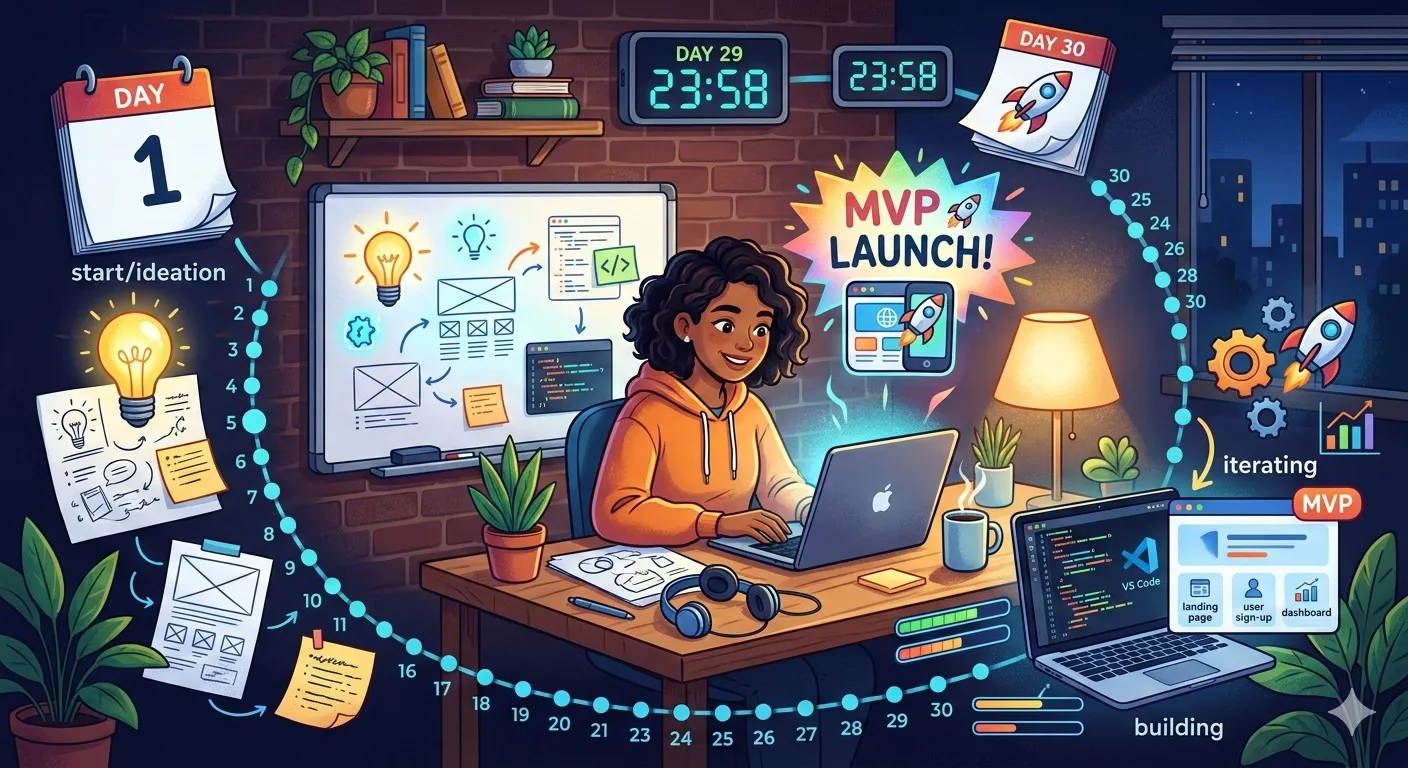
30-Day Side Project Plan: From Idea to MVP
Table of Contents
- Why Build a Side Project?
- The 30-Day Side Project Framework
- Week 1: Ideation & Planning
- Week 2: Core Development
- Week 3: Polish & Testing
- Week 4: Launch & Documentation
- Common Pitfalls to Avoid
- Success Stories
- 30-Day Side Project Checklist
Why Build a Side Project?
Side projects are more than just coding exercises—they’re opportunities to:
- Learn new technologies in a low-pressure environment
- Build a portfolio that showcases practical skills
- Solve real problems you encounter in your daily life
- Experiment with ideas that might become future products
- Stay motivated by working on something you’re passionate about
A well-executed side project can open doors to new job opportunities, freelance work, or even startup funding. The key is to keep it small, focused, and achievable within a limited timeframe.
The 30-Day Side Project Framework
This framework breaks down the side project journey into four manageable weeks:
Week 1: Ideation & Planning (Days 1-7)
├── Day 1-2: Problem identification & idea validation
├── Day 3-4: Technology stack selection
├── Day 5-6: Project scope definition
└── Day 7: Wireframing & MVP feature list

Week 2: Core Development (Days 8-14)
├── Day 8-10: Backend setup & core functionality
├── Day 11-12: Frontend implementation
├── Day 13: Basic styling & UI
└── Day 14: Initial integration testing

Week 3: Polish & Testing (Days 15-21)
├── Day 15-16: Feature refinement
├── Day 17-18: Testing & bug fixing
├── Day 19: Performance optimization
└── Day 20-21: User experience improvements

Week 4: Launch & Documentation (Days 22-30)
├── Day 22-23: Deployment preparation
├── Day 24-25: Documentation & README
├── Day 26-27: Marketing materials
├── Day 28: Soft launch & feedback collection
└── Day 29-30: Post-launch review & next steps
Week 1: Ideation & Planning
Day 1-2: Problem Identification & Idea Validation
Start by identifying a problem you personally experience or observe. Ask yourself:
- Is this a real pain point for others too?
- Are there existing solutions? What can you do better?
- Can you build a minimal solution in 30 days?
Validation techniques:
- Talk to 3-5 potential users
- Check Reddit, Twitter, or relevant forums for discussions
- Create a simple landing page to gauge interest
Day 3-4: Technology Stack Selection
Choose technologies that:
- You’re either already comfortable with or eager to learn
- Are appropriate for the problem scope
- Have good documentation and community support
Example stacks for different project types:
- Web App: Next.js + TypeScript + Tailwind CSS + Supabase
- Mobile App: React Native + Expo + Firebase
- CLI Tool: Node.js + Commander.js + Inquirer.js
- API Service: FastAPI (Python) or Express.js + PostgreSQL
Day 5-6: Project Scope Definition
Define what’s in scope and what’s out of scope for your MVP:
# Example: Task Management App MVP Scope
in_scope:
  - User authentication (email/password)
  - Create, read, update, delete tasks
  - Basic task categorization
  - Responsive web interface
  - Local storage fallback

out_of_scope:
  - Team collaboration features
  - Advanced reporting
  - Mobile apps
  - Email notifications
  - Third-party integrations
Day 7: Wireframing & MVP Feature List
Create simple wireframes (paper sketches or digital) and finalize your MVP feature list. Tools like Figma, Excalidraw, or even pen and paper work perfectly.
Week 2: Core Development
Day 8-10: Backend Setup & Core Functionality
Set up your project structure and implement the core business logic:
// Example: Task management backend structure
project/
├── src/
│   ├── models/          # Data models
│   ├── services/        # Business logic
│   ├── routes/          # API endpoints
│   └── utils/           # Helper functions
├── tests/               # Test files
├── package.json
└── README.md
Focus on:
- Database schema design
- Authentication system
- Core API endpoints
- Basic error handling
Day 11-12: Frontend Implementation
Build the user interface that connects to your backend:
// Example: React component for task management
function TaskList({ tasks, onTaskComplete, onTaskDelete }) {
  return (
    <div className="task-list">
      {tasks.map(task => (
        <TaskItem
          key={task.id}
          task={task}
          onComplete={onTaskComplete}
          onDelete={onTaskDelete}
        />
      ))}
    </div>
  );
}
Day 13: Basic Styling & UI
Apply basic styling to make your app usable and visually coherent. Use a CSS framework like Tailwind CSS or Bootstrap to speed up development.
Day 14: Initial Integration Testing
Test that your frontend and backend work together correctly:
// Example: Integration test
describe('Task API Integration', () => {
  it('should create and retrieve a task', async () => {
    const newTask = { title: 'Test Task', completed: false };
    const created = await api.createTask(newTask);
    const retrieved = await api.getTask(created.id);

    expect(retrieved.title).toBe(newTask.title);
    expect(retrieved.completed).toBe(false);
  });
});
Week 3: Polish & Testing
Day 15-16: Feature Refinement
Review your MVP features and refine them based on initial testing:
- Improve error messages
- Add loading states
- Enhance form validation
- Implement keyboard shortcuts
Day 17-18: Testing & Bug Fixing
Write comprehensive tests and fix any bugs:
// Example: Comprehensive test suite
describe('Task Management', () => {
  describe('Task Creation', () => {
    test('creates task with valid data', () => { /* ... */ });
    test('rejects empty task title', () => { /* ... */ });
    test('sets default completion status', () => { /* ... */ });
  });

  describe('Task Updates', () => {
    test('marks task as complete', () => { /* ... */ });
    test('updates task title', () => { /* ... */ });
    test('handles concurrent updates', () => { /* ... */ });
  });
});
Day 19: Performance Optimization
Identify and fix performance bottlenecks:
- Optimize database queries
- Implement caching where appropriate
- Minimize bundle size
- Lazy load non-critical components
Day 20-21: User Experience Improvements
Focus on making the app pleasant to use:
- Add helpful tooltips
- Implement smooth transitions
- Ensure accessibility compliance
- Test on different devices and browsers
Week 4: Launch & Documentation
Day 22-23: Deployment Preparation
Prepare your application for deployment:
# Example deployment checklist
☐ Set up production database
☐ Configure environment variables
☐ Set up CI/CD pipeline
☐ Configure domain and SSL
☐ Set up monitoring and logging
☐ Create backup strategy
Deployment options:
- Vercel/Netlify: For frontend and serverless functions
- Railway/Render: For full-stack applications
- Fly.io: For Docker-based deployments
- GitHub Pages: For static sites
Day 24-25: Documentation & README
Create comprehensive documentation:
# Project Name

A brief description of what your project does.

## Features
- Feature 1: Description
- Feature 2: Description
- Feature 3: Description

## Getting Started

### Prerequisites
- Node.js 18+
- PostgreSQL 14+

### Installation
1. Clone the repository
2. Install dependencies: `npm install`
3. Set up environment variables
4. Run migrations: `npm run migrate`
5. Start development server: `npm run dev`

## API Reference
[Detailed API documentation]

## Contributing
[Guidelines for contributors]

## License
MIT
Day 26-27: Marketing Materials
Create materials to showcase your project:
- Screenshots and GIFs
- Demo video (2-3 minutes)
- Social media posts
- Project showcase page
Day 28: Soft Launch & Feedback Collection
Share your project with a small group:
- Friends and colleagues
- Online communities (Reddit, Discord, etc.)
- Collect feedback through surveys or direct conversations
Day 29-30: Post-Launch Review & Next Steps
Review what you’ve accomplished and plan next steps:
# Post-launch review template
what_went_well:
  - Completed MVP within 30 days
  - Learned [new technology]
  - Received positive feedback on [feature]

areas_for_improvement:
  - [Specific technical challenge]
  - [Time management issue]
  - [Feature that could be better]

next_steps:
  - Address critical feedback
  - Add one high-value feature
  - Write a blog post about the experience
  - Add to portfolio and LinkedIn
Common Pitfalls to Avoid
1. Scope Creep
Problem: Adding too many features beyond the MVP. Solution: Stick to your defined scope. New ideas go into a “Future Features” list.
2. Perfectionism
Problem: Spending too much time on minor details. Solution: Remember the 80/20 rule. Focus on what delivers the most value.
3. Technology Overload
Problem: Trying to learn too many new technologies at once. Solution: Limit yourself to 1-2 new technologies per project.
4. Lack of User Feedback
Problem: Building in isolation without user input. Solution: Share early and often, even with incomplete features.
5. Burnout
Problem: Working too many hours and losing motivation. Solution: Set consistent, sustainable hours (e.g., 1-2 hours daily).
Success Stories
Case Study 1: Expense Tracker App
Developer: Junior frontend developer Timeframe: 30 days Tech Stack: React, Firebase, Tailwind CSS Outcome:
- Landed a mid-level frontend position
- 500+ active users after 3 months
- Open source contributions from community
Case Study 2: API Documentation Generator
Developer: Backend engineer Timeframe: 28 days Tech Stack: Python, FastAPI, Markdown Outcome:
- Used internally at current company
- 100+ GitHub stars
- Led to speaking engagement at local meetup
Case Study 3: Learning Resource Aggregator
Developer: Student Timeframe: 25 days Tech Stack: Next.js, Supabase, TypeScript Outcome:
- Featured in tech newsletter
- Helped secure internship
- Continued development as open source project
30-Day Side Project Checklist
Pre-Project (Day 0)
- Identify a problem you care about
- Validate the idea with potential users
- Define MVP scope and success criteria
- Choose appropriate technology stack
- Set up project repository and basic structure
Week 1: Planning
- Create wireframes/mockups
- Define database schema
- Set up development environment
- Create project timeline
- Write initial tests
Week 2: Development
- Implement core backend functionality
- Build basic frontend interface
- Connect frontend to backend
- Implement basic styling
- Complete integration testing
Week 3: Polish
- Refine features based on testing
- Fix all critical bugs
- Optimize performance
- Improve user experience
- Complete comprehensive testing
Week 4: Launch
- Prepare for deployment
- Write documentation
- Create marketing materials
- Deploy to production
- Collect and analyze feedback
Post-Project
- Update portfolio with project
- Write blog post about experience
- Share on social media and communities
- Plan next steps (maintenance, features, etc.)
- Celebrate your accomplishment!
Conclusion
Building a side project in 30 days is challenging but incredibly rewarding. The key is to start small, stay focused, and maintain momentum. Remember that the goal isn’t perfection—it’s learning, building something tangible, and adding to your portfolio.
The most successful side projects often share these characteristics:
- Solve a real problem (even if it’s your own)
- Have a clear, limited scope
- Use appropriate, not necessarily cutting-edge, technology
- Get user feedback early and often
- Are maintained consistently after launch
Whether you’re building to learn, to showcase skills, or to solve a problem, the 30-day framework provides structure without stifling creativity. The discipline you develop during this process will serve you well in all your future projects.
Related Articles
What side project are you planning to build? Share your ideas in the comments—we’d love to hear about them and maybe even collaborate!