Vector Databases: Embeddings, Similarity Search, and Indexing
Table of Contents
- Introduction
- What a Vector Database Stores
- What Embeddings Represent
- How Similarity Search Works
- Metadata Filtering
- Vector Indexing
- pgvector vs Dedicated Vector Databases
- Common Mistakes
- Checklist
- FAQ
- Conclusion
Introduction
Vector databases became popular because modern AI applications do not get very far with keyword search alone. Users ask natural-language questions, while documents in the system may use different wording, inconsistent abbreviations, or formats that do not look alike at all. In situations like that, the system still needs to find relevant content quickly.
A vector database helps with that by storing embeddings: numeric representations of text, images, products, tickets, or any item you want to compare by meaning. This makes search look beyond exact word matches and focus on the semantic relationship behind the content.
This article explains the core ideas without treating vector search as magic. The important parts are embeddings, similarity search, indexing, metadata, and knowing when a vector database is actually worth using. Once these pieces click, RAG and semantic search are usually much easier to understand. After this, you can continue with RAG vs Fine-Tuning to see where vector search fits in a broader AI workflow, or read Laravel 13 release to see a native vector search example in the Laravel ecosystem.
What a Vector Database Stores
A vector database stores vectors together with useful metadata. The vector is used to measure semantic closeness, while the metadata adds context so the result is more precise.
| Field | Example |
|---|---|
id | doc_42 |
embedding | [0.12, -0.44, 0.08, ...] |
text | ”How to rotate staging credentials” |
metadata | { team: "platform", env: "staging" } |
The vector is used for similarity search. The metadata helps filter and explain results, for example by limiting matches by team, environment, language, or document status.
What Embeddings Represent
An embedding model turns content into a list of numbers. Those numbers are not meant to be read one by one manually; they are learned so that content with similar meaning tends to end up near each other in vector space. That is why two sentences can still be related even when they do not share the same words.
For example:
| Text | Meaning |
|---|---|
| ”reset password” | account recovery |
| ”forgot login credentials” | account recovery |
| ”database connection pool” | backend infrastructure |
The first two phrases may not share the same keywords, but they can still be close as embeddings. This is one reason vector search is often stronger than keyword search for cases like FAQs, support tickets, or internal document search.
How Similarity Search Works
When a user asks a question, the system embeds the query and searches for stored vectors that are closest to it. The results are usually re-ranked afterward so the most relevant documents appear at the top.
User query -> query embedding -> nearest vectors -> ranked resultsExample:
| Rank | Document | Similarity |
|---|---|---|
| 1 | Password reset runbook | 0.91 |
| 2 | Account recovery FAQ | 0.87 |
| 3 | Login troubleshooting guide | 0.82 |
The result is not “the same words.” It is “nearby meaning.”
Metadata Filtering
Similarity alone is not enough. A result can be semantically close but operationally wrong.
For example, a staging runbook should not answer a production incident unless the user asked for staging.
Use metadata filters:
{
  "team": "platform",
  "environment": "production",
  "status": "active"
}
Good retrieval often combines semantic search with filters such as tenant, team, permission, version, language, or document status.
Vector Indexing
Brute-force vector search compares the query with every stored vector. That can work for small datasets, but it becomes slow at scale.
Vector indexes speed up search by narrowing the candidates.
| Index idea | What it optimizes |
|---|---|
| HNSW | fast approximate nearest neighbor search |
| IVF | partitions vectors into groups before searching |
| Flat | exact search, simpler but slower at scale |
Most production systems accept approximate search because it is much faster and the results are usually good enough. The trade-off is recall: sometimes the perfect neighbor may be missed.
pgvector vs Dedicated Vector Databases
You do not always need a separate vector database.
| Option | Good for | Watch out for |
|---|---|---|
| PostgreSQL + pgvector | apps already on Postgres, moderate scale, strong relational filtering | scaling and tuning limits |
| Dedicated vector DB | high-scale semantic search, many collections, vector-heavy workloads | extra infrastructure and operational cost |
| Search engine hybrid | keyword + semantic search | more moving parts |
Common dedicated vector databases include Pinecone, Weaviate, Milvus, and Qdrant. If you want something lighter for prototyping, Chroma is also often used in the AI ecosystem.
Start with the simplest setup that can meet your latency, recall, and operational needs.
Common Mistakes
Indexing messy data
Bad documents produce bad retrieval. Clean, deduplicate, and version your source data before indexing.
Ignoring metadata
Semantic similarity does not understand permissions, environments, or business rules by itself.
Assuming higher similarity always means correct
Similarity is a ranking signal, not proof. Evaluate results with real queries.
Choosing infrastructure too early
Many teams pick a specialized database before understanding their data volume, query patterns, and filtering needs.
Checklist
- Pick an embedding model that fits your content type.
- Store text, vectors, and metadata together.
- Use metadata filters for permissions and business context.
- Measure retrieval with real user questions.
- Choose index settings based on latency and recall.
- Keep source documents clean and versioned.
- Re-embed when the model or source content changes.
- Start simple before adding dedicated infrastructure.
FAQ
Is a vector database required for RAG?
Not always. Small datasets can start with simpler search. Vector databases become useful when semantic retrieval, scale, latency, and metadata filtering matter.
Is vector search better than keyword search?
It solves a different problem. Vector search finds related meaning. Keyword search is still strong for exact terms, IDs, error codes, and product names.
What is hybrid search?
Hybrid search combines vector similarity with keyword search. It is often better for technical documents because exact terms still matter.
Conclusion
Vector databases are useful when your application needs to search by meaning, not only by keywords. But the database is only one part of the system.
Good results come from clean data, useful metadata, a fitting embedding model, careful indexing, and evaluation with real queries.
Are you using pgvector, a dedicated vector database, or still experimenting? Share your setup, use case, or biggest challenge in the comments. Real-world experience is often more useful than theory alone. 💬
Related Articles
Keep reading within the same topic.
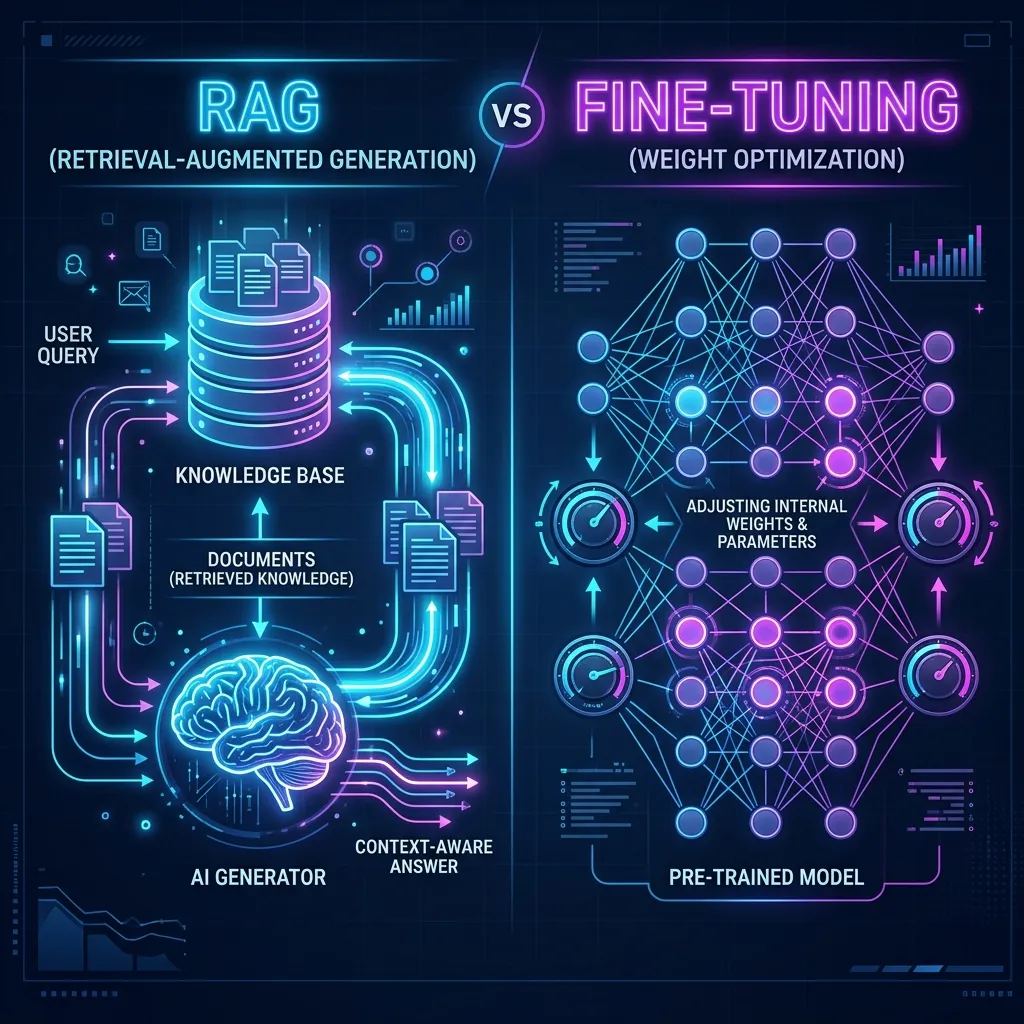
RAG vs Fine-Tuning: Choose the Right AI Approach
Compare RAG and fine-tuning by data needs, cost, latency, accuracy, maintenance, and production use cases for AI applications.

RAG Knowledge Base: Build Internal Engineering Search
Build a RAG knowledge base for engineering teams with document ingestion, embeddings, retrieval, prompt context, and answer evaluation.

Flask JSON APIs: Request Bodies, jsonify, and Status Codes
Build a Flask JSON API that reads request bodies, validates payloads, stores notes, and returns consistent responses and status codes.

PHP2Shell (CVE-2026-109618): Why Every PHP Server Needs Patching Today
In-depth breakdown of the PHP2Shell vulnerability (CVE-2026-109618 & CVE-2026-109619), longjmp OOM corruption during multipart parsing, and patching guide.